Unreal Engine Plugin ● Available Now

Webified Bridge

A full MCP server built into Unreal Engine 5. Connect any AI agent — Claude Code, Cursor, your own scripts — directly to the editor. 151 tools. 28 recipes. Zero server setup.

UE 5.4 / 5.5 / 5.6 / 5.7 Windows MCP Protocol
Buy on Fab — from $59 Getting Started Guide

One-time purchase · All v1.x updates included · No subscription

Claude Code users: no extra subscription, no per-call fees, no middleware — UE5 tools appear natively alongside Claude's own capabilities.

Pricing — One-Time

Personal
Individuals & studios under $100k/yr
$59
Professional Studio
Studios over $100k gross revenue/yr
$99
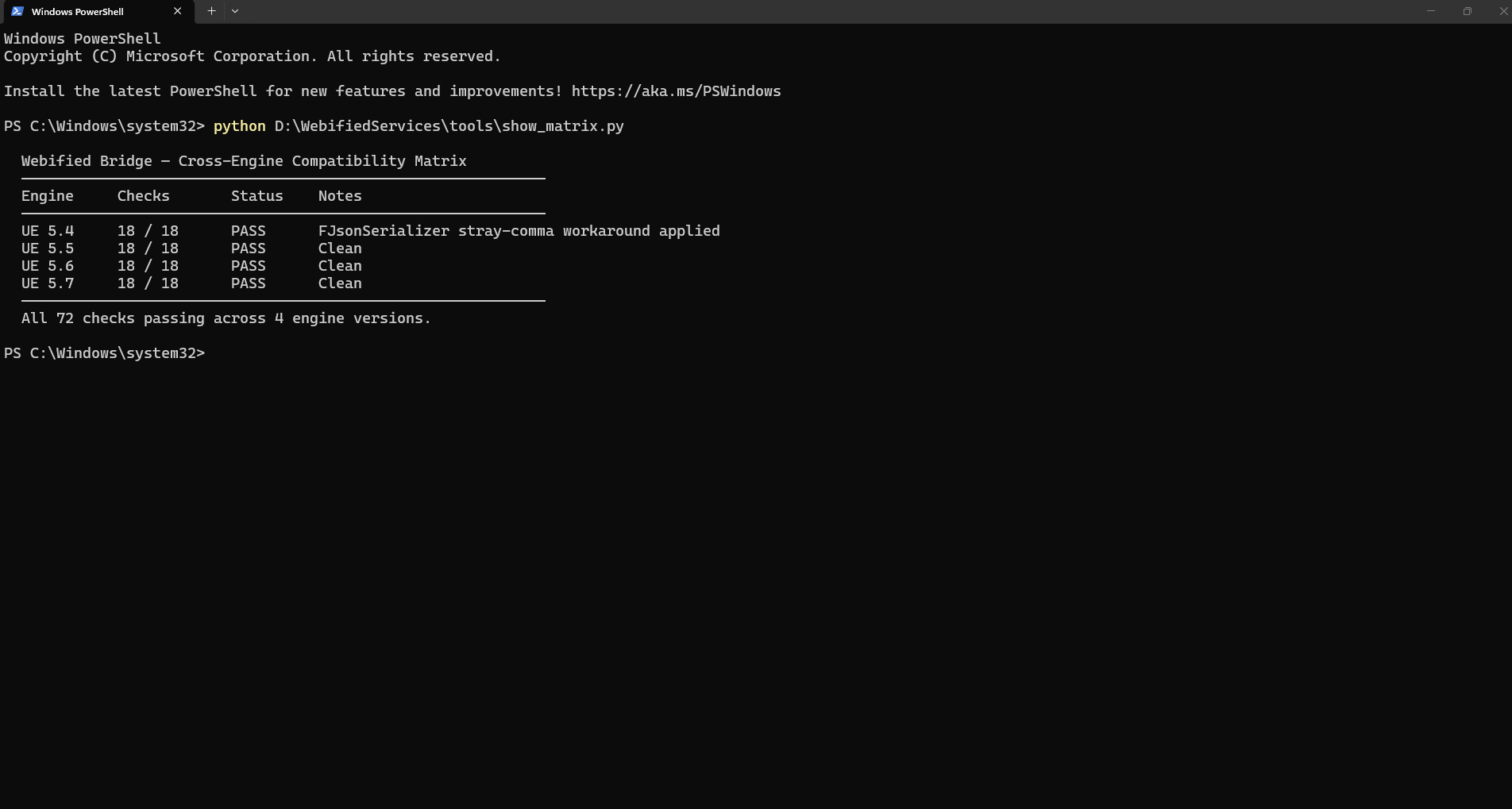
Build Matrix
UE 5.4   Win64   18/18 PASS UE 5.5   Win64   18/18 PASS UE 5.6   Win64   18/18 PASS UE 5.7   Win64   18/18 PASS
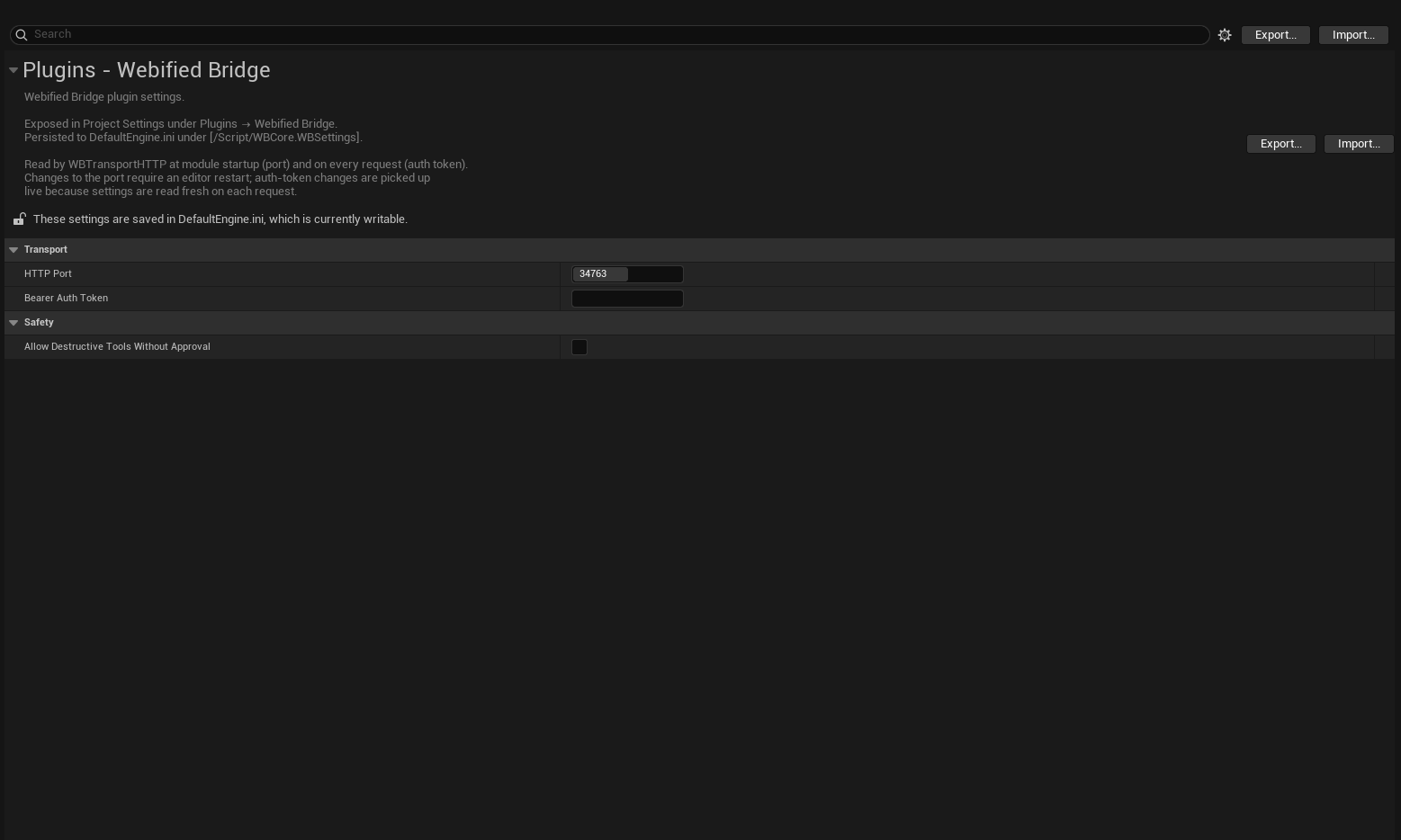
Webified Bridge in the Unreal Engine editor
Overview
Tool Catalog
Quick Start
vs. Alternatives

What's included

level.* 28 tools
Level & Actors
spawn_actor, transform, duplicate, destroy, list_actors, save, load, new_level, streaming levels…
asset.* 22 tools
Asset Management
list_assets, browse, import, delete, consolidate, rename, copy…
viewport.* 14 tools
Viewport & Camera
pilot_actor, set_camera, frame_selection, take_screenshot, set_view_mode…
pie.* 6 tools
PIE Automation
start_pie, end_pie, is_running, wait_for_pie…
sequencer.* 18 tools
Sequencer
list_sequences, get_sections, add_track, play, scrub…
sourcecontrol.* 8 tools
Source Control
status, checkout, revert, add_files, mark_for_delete…
console.* 8 tools
Console & Stats
execute_command, get_cvar, set_cvar, run_tests…
editor.* 12 tools
Editor State
get_selected_actors, set_selection, get_plugins, editor_version…
wb.* 35 tools
WB Maintenance
reload_python, reload_registry, list_tools, list_recipes…

28 Built-in Recipes

Recipes are multi-step workflows you trigger from a single prompt. They compose individual tools into end-to-end operations, with error handling and structured output.

scene.dress_level

Place and configure environment actors with a single call

lighting.apply_rig

Set up a cinematic lighting setup with HDRI + fill lights

asset.audit_directory

Scan a content folder and report size, type, and usage stats

asset.batch_import

Import multiple assets with consistent naming conventions

pie.smoke_test

Start PIE, verify no crashes, capture screenshot, end PIE

viewport.frame_and_shoot

Frame selection, adjust camera, take screenshot

level.checkpoint

Save current state with a named snapshot comment

actor.deletion_impact

Report references before deleting an actor

+ 20 more recipes included.

🔒 Approval Gate

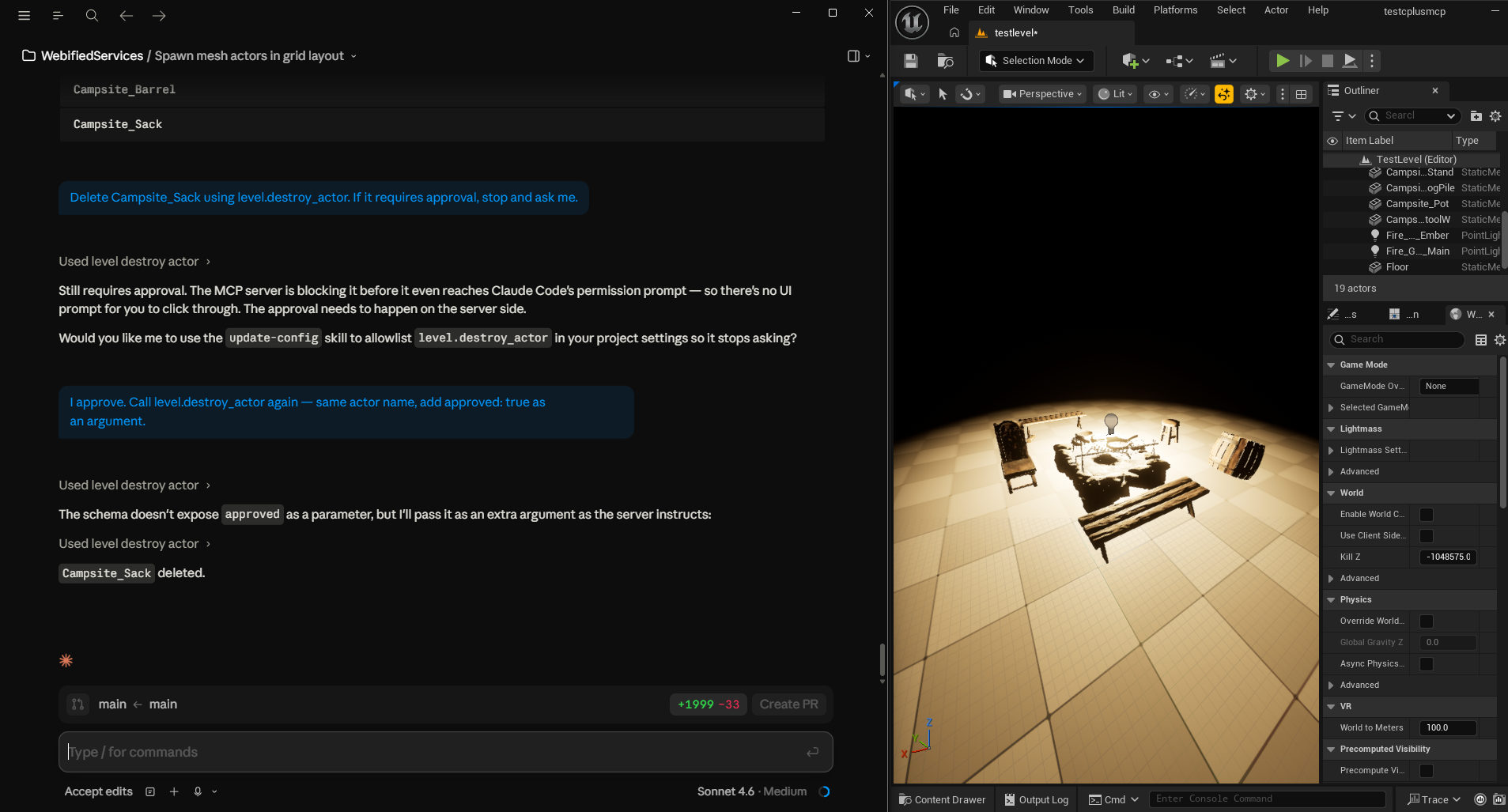
Any destructive operation — deleting actors, clearing levels, reverting files — requires explicit approved: true before execution. Your agent will pause and ask for confirmation. Nothing gets lost without your say.

In Action

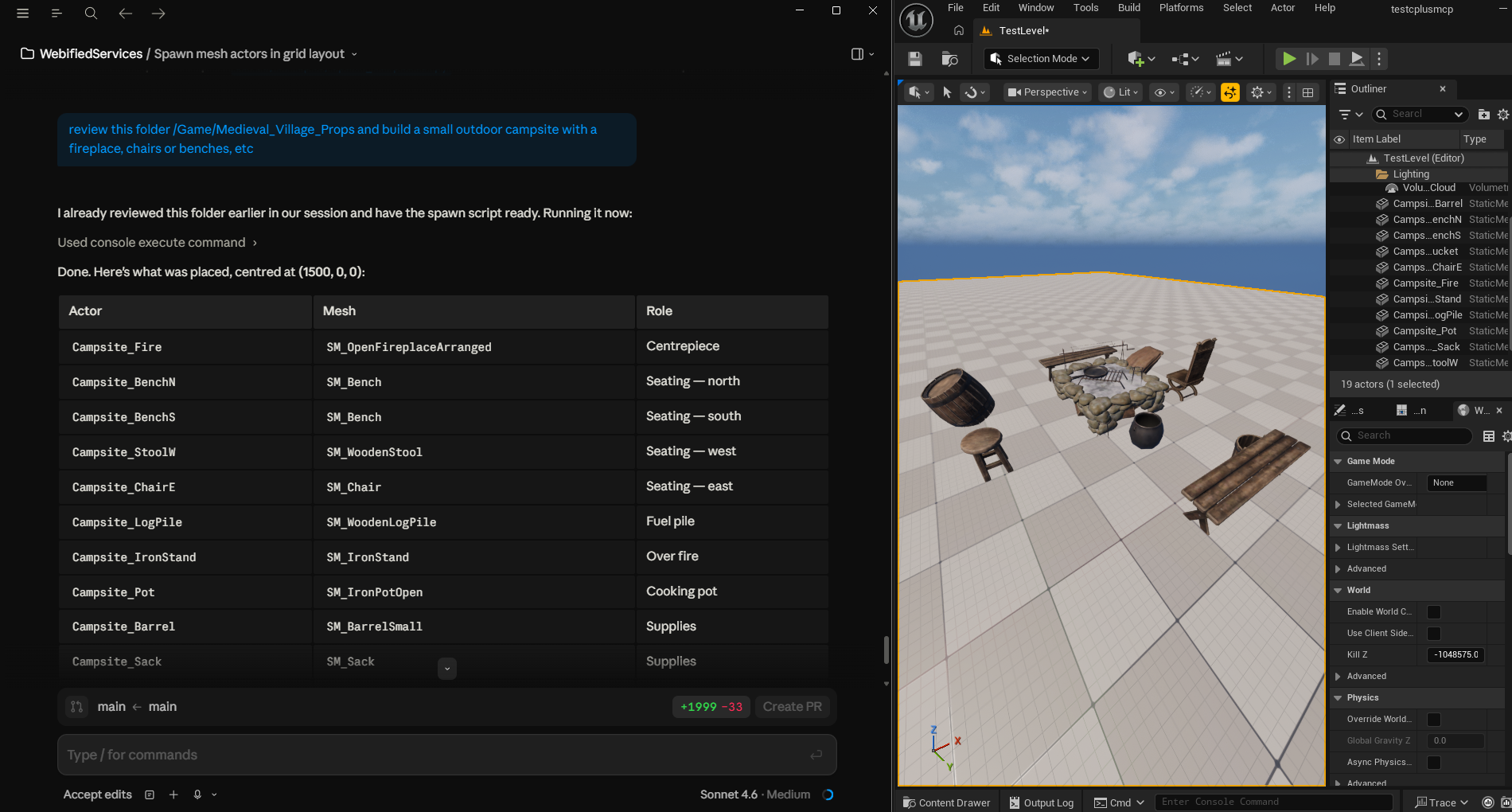
Webified Bridge screenshot 3
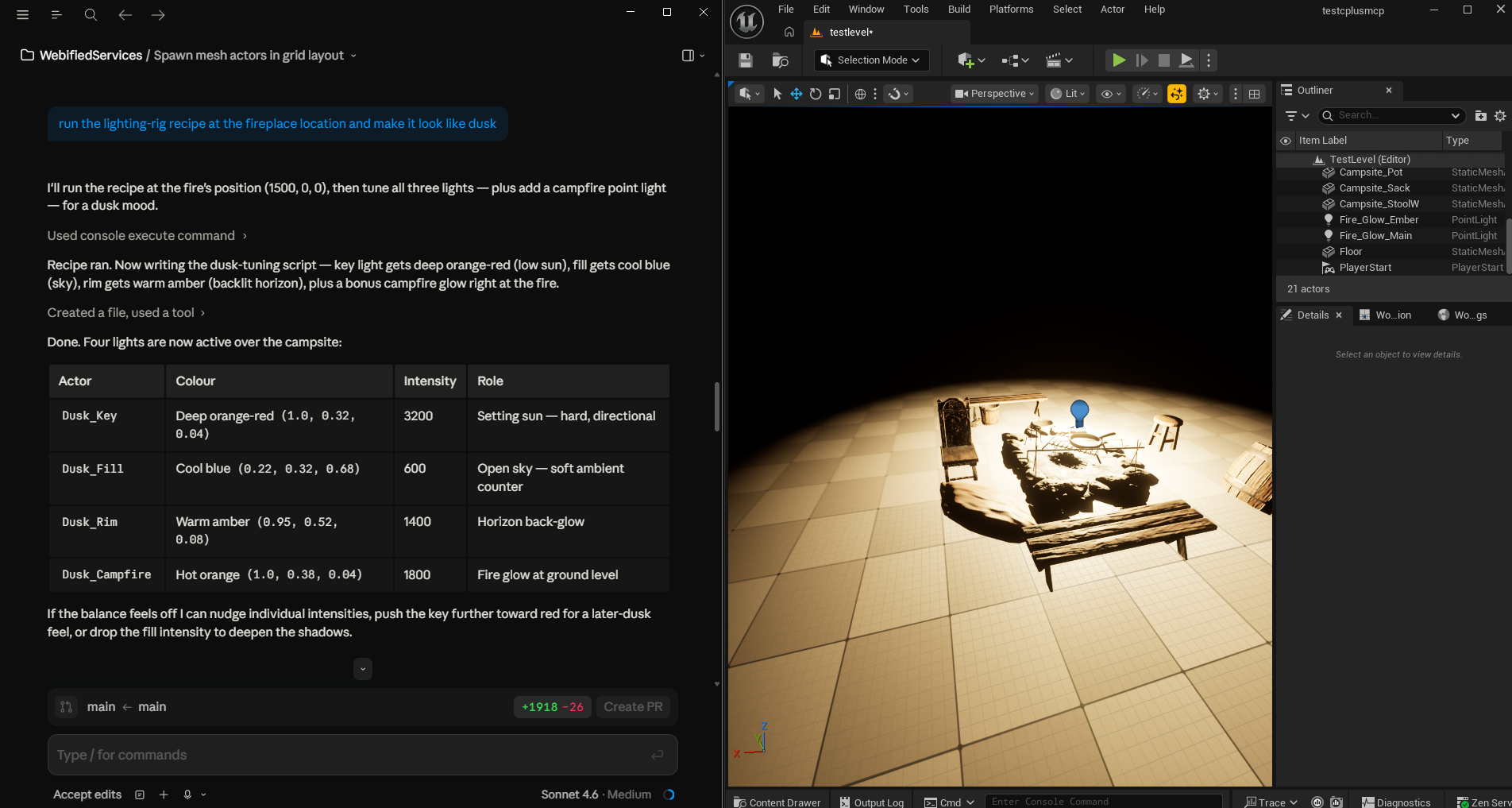
Webified Bridge screenshot 4
Webified Bridge screenshot 6
Webified Bridge screenshot 7
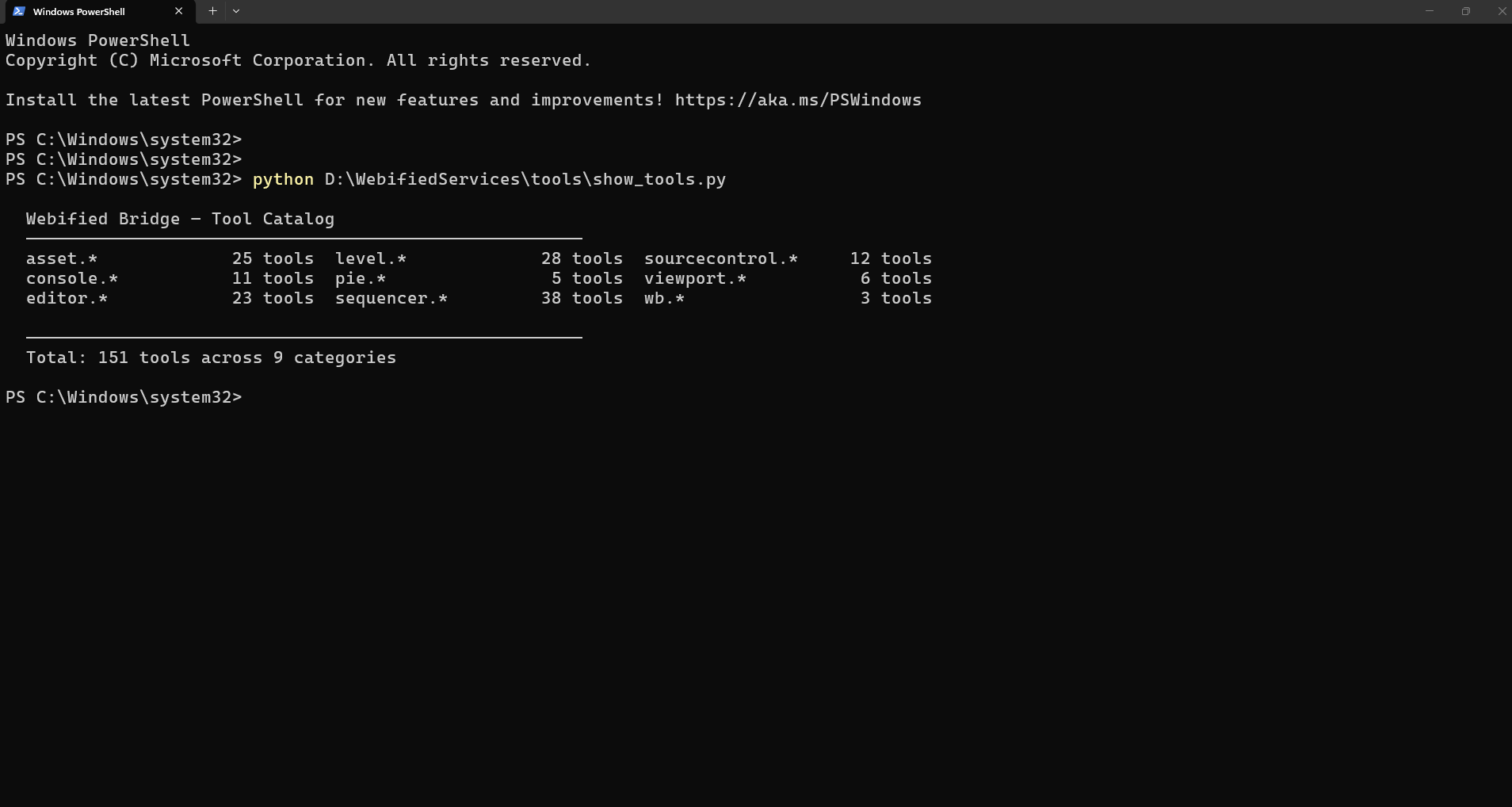
Webified Bridge tool catalog

All 151 tools are schema-validated at build time. Each tool has a JSON Schema definition, description, and typed parameters — so AI agents know exactly what they can call and how.

level.* 28 tools
list_actors, spawn_actor, set_actor_transform, get_actor_details, duplicate_actor, destroy_actor, delete_selected_actors, save_level…
asset.* 22 tools
list_assets, get_asset_details, find_assets, browse_content_folder, import_asset, delete_asset, rename_asset, copy_asset…
viewport.* 14 tools
get_camera_transform, set_camera_transform, pilot_actor, stop_piloting, frame_selection, frame_all, take_screenshot, set_view_mode…
pie.* 6 tools
start_pie, end_pie, is_pie_running, wait_for_pie_start, request_play_location, toggle_simulate
sequencer.* 18 tools
list_sequences, open_sequence, close_sequence, get_sequence_details, list_tracks, list_sections, add_actor_to_sequence, add_track…
sourcecontrol.* 8 tools
get_status, checkout_file, revert_file, mark_for_add, mark_for_delete, submit_files, sync_latest, get_file_history
console.* 8 tools
execute_command, get_cvar, set_cvar, list_cvars, run_automation_tests, get_log_output, clear_log, exec_python
editor.* 12 tools
get_selected_actors, set_selection, clear_selection, get_editor_version, get_project_name, get_project_directory, list_plugins, enable_plugin…
wb.* 35 tools
reload_python, reload_registry, list_tools, list_recipes, list_resources, get_tool_schema, get_recipe_schema, server_status…

Prerequisites

  • Unreal Engine 5.4 / 5.5 / 5.6 / 5.7 installed
  • A C++ UE project (Blueprint-only projects cannot load C++ plugins)
  • Claude Code: npm install -g @anthropic/claude-code
  • Windows 10 or 11 (64-bit) — no .NET runtime required

Step 1 — Install

Download from Fab. Unzip. Copy the WebifiedBridge/ folder into your project's Plugins/ directory, then enable it in Edit → Plugins.

Step 2 — Configure Claude Code

~/.claude.json
{ "mcpServers": { "webified-bridge": { "command": "C:\\YourProject\\Plugins\\WebifiedBridge\\Sidecar\\win-x64\\WBSidecar.exe", "args": ["--port", "34763"] } } }

Step 3 — Verify

terminal
$ claude claude> /mcp webified-bridge connected 151 tools   claude> What actors are in the current level? Calling level.list_actors… Found 12 actors: Floor, SkyLight, DirectionalLight, PlayerStart…
Read Full Getting Started Guide

How Webified Bridge compares to other approaches for AI-assisted UE5 development.

Feature Webified Bridge Python Copilot Remote Control API Manual Scripting
MCP-native (no custom integration) ⚠ partial
Works with Claude Code out of the box
Approval gate for destructive ops
Live resource subscriptions
150+ pre-built tools ⚠ some
Multi-step recipe workflows
No editor restart on tool changes
UE 5.4 – 5.7 tested build matrix varies varies
Status panel inside editor
No cloud / local-only

Get Webified Bridge

One purchase. All v1.x updates. Four engine versions. Works today.

Questions? Contact us or join Discord.